
A charger is one of the few accessories you use every day, and you immediately notice when it's not right. Slow charging in the morning, a hot "brick" in the socket, cables that come loose, or a charger that simply doesn't "catch" fast charging. If you have an iPhone with USB-C (iPhone 15/16 series) or charge an iPhone with Lightning via a USB-C charger, choosing the right USB-C charger makes a difference in your daily life.
Below you'll find practical, buying guidance for top USB-C chargers for iPhone, without excessive technical jargon. The goal is to choose the right power, the right type (PD, GaN, multiport), and not pay for something you won't use.
What makes a "good" USB-C charger for iPhone
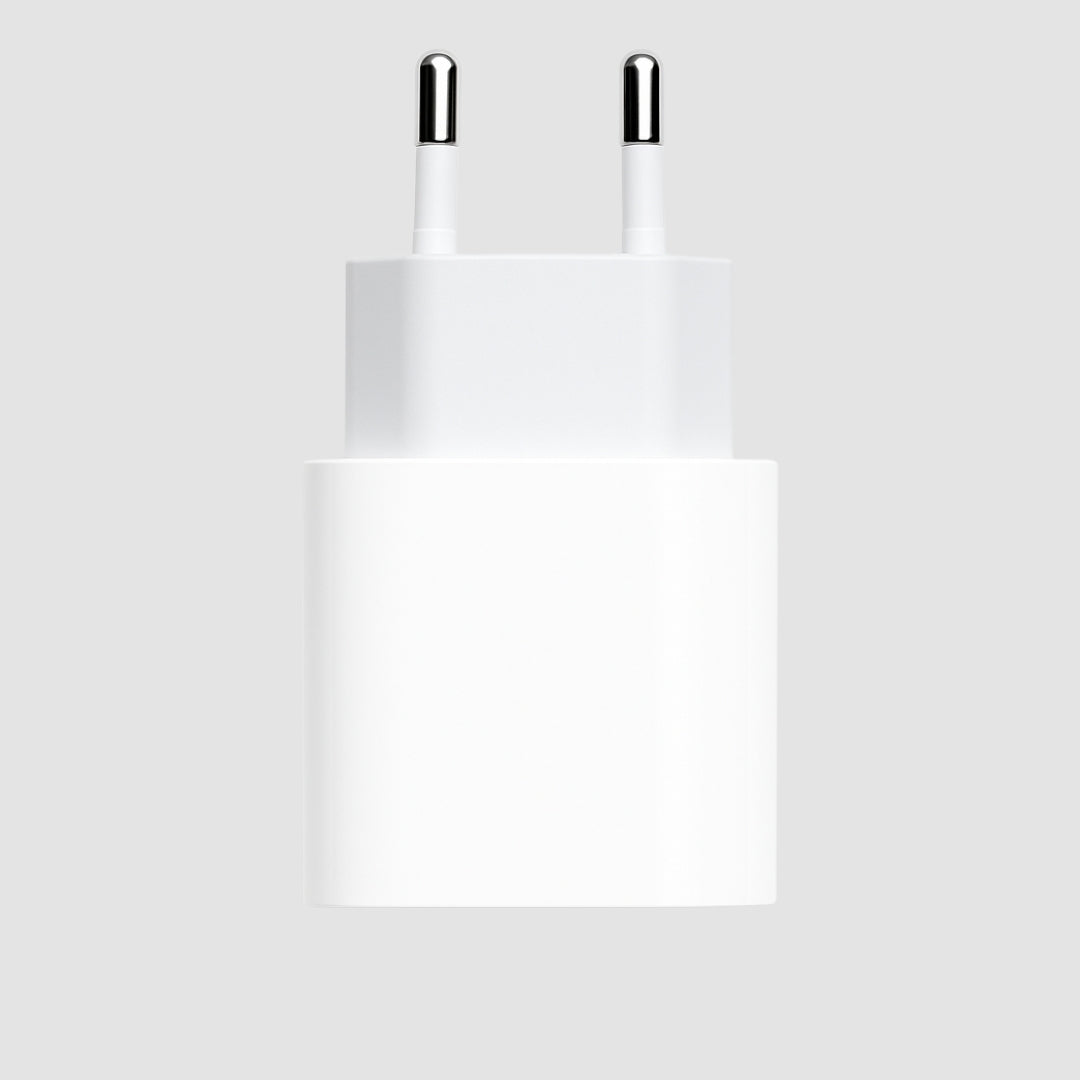
An iPhone charger doesn't need to say "iPhone" on the box to be suitable. However, it does need to support USB Power Delivery (PD) to get the best possible charging speed safely. iPhones negotiate power and draw whatever they can - the charger doesn't "force" current.In practice, for most use cases, a good 20W PD USB-C power adapter is the "sweet spot." If you want more flexibility (e.g., charging an iPhone and iPad, or having one charger for everything at home), then 30W-65W options, especially GaN, become very attractive.
How many Watts to get - and when it's worth upgrading
If you just want fast charging for your iPhone, 20W is enough to see a difference compared to old 5W-12W chargers. It will comfortably cover charging during the day and is ideal as a second charger (office, home, bag).30W makes more sense if you have an iPad, want more "comfortable" charging while using the device, or want a charger that won't "struggle" if you're charging a power bank or a MagSafe charger simultaneously (depending on ports).
At 45W-65W, you enter the "one charger for everything" zone. Here you're not just buying for your iPhone. You're buying for iPhone + iPad + MacBook Air (depending on model) or for two devices simultaneously from a multiport. The trade-off is simple: you pay a little more, but you reduce cables and chargers.
The 5 profiles that cover almost everyone (and the appropriate types)
There's no point telling you "buy product X" if we don't know how you charge. However, it makes sense to choose a category. These categories are the safest choices for top USB-C chargers for iPhone.1) The everyday "fast" - USB-C PD 20W
If you want something small, affordable, and tested for iPhone, a USB-C PD 20W is the clearest purchase. It's perfect for iPhone 15/16 with a USB-C cable, and also for older iPhones with a USB-C to Lightning cable.What to look out for: make sure it clearly states PD (Power Delivery) and is of good quality. Avoid "20W" without mentioning PD, as it often doesn't perform as it should or is limited to older protocols.
2) The small but "powerful" - GaN 20W-30W
GaN (Gallium Nitride) chargers are the choice when you want a smaller size, better thermal performance, and a more "premium" feel for everyday use. They're not magic - they just achieve better efficiency and a more compact design.When it's worth it: when you travel often, when you charge in power strips and want to avoid "blocking" adjacent sockets, or when you want a charger that doesn't get excessively hot with continuous use.
3) The charger for iPhone + iPad - PD 30W
If you have an iPad or are considering getting one in 6 months, 30W is a good balance. It will charge an iPhone comfortably and provide "correct" power to an iPad without you waiting ages.The trade-off: you won't see double the speed on your iPhone just because you got 30W. But you will gain flexibility. It's a purchase with a long-term view.
4) One charger for two devices - Dual USB-C (or USB-C + USB-A)
If you charge an iPhone and Apple Watch, or an iPhone and a second mobile, a charger with two ports is one of the most "value" choices. Here you need a little attention: when two devices are charging simultaneously, the power is shared. So it's not enough for it to say "65W" - check if it mentions distribution (e.g., 45W + 20W or 30W + 20W).A very convenient scenario: bedside table. One charger, two cables, done. And you won't argue at home over the socket.
5) For the car - USB-C PD car charger
In the car, the iPhone usually takes a beating: GPS, brightness, music, CarPlay. If the car charger isn't PD, it often just "maintains" the battery instead of filling it.A 20W-30W USB-C PD car charger is the right baseline. If you have a second person in the car, look for a dual port. The power distribution rule also applies here.
Cable: 50% of the experience (and the most common mistake)
You might buy the best charger and wonder why you're not seeing results. Very often, the cable is to blame. For iPhone 15/16 (USB-C), you need a USB-C to USB-C cable that supports proper charging. For iPhones with Lightning, you need a USB-C to Lightning cable (ideally MFi certified or at least of reliable quality).If the cable is very cheap, very thin, or "worn out," it can limit power, raise the temperature, or cause interruptions. You don't need to make it a science: choose a cable of the correct type, good construction, and a length that suits you. 2m is a lifesaver for the couch/bed, but in a bag, 1m is often more practical.
"But does my iPhone fast charge?" It depends
iPhones support fast charging via PD, but speeds are not the same across all models and are not constant throughout the entire charging process. The fastest charging usually occurs when the battery is low and decreases as it approaches 100% for battery health reasons.If you see that it charges quickly from 0-50% but then "drags," that's normal. However, if it's slow from the beginning, first check the cable, then the charger, and finally the socket/power strip.
Safety and temperature: what's normal
A charger can get warm - especially with fast charging. This doesn't necessarily mean it's dangerous. What you don't want is excessive temperature that makes you avoid touching it, or a strong plastic smell, or instability (charging-not charging).In everyday life, proper use also helps: don't cover the charger with fabrics, don't cram it behind a bed without air circulation, and don't leave the cable "pulled" putting pressure on the port. Small things that save both device and accessories.
How to choose in 30 seconds (without stress)
If you only want an iPhone, get a PD 20W. If you want an iPhone and a second device, go for a dual port with a sensible total power (usually 40W+). If you want an "all-in-one" charger, invest in 45W-65W, preferably GaN.And if you're one of those who charge everywhere, make it practical: one at home, one at the office, one in the car. It costs less than running out of battery at the worst possible moment.
Where to find it quickly, without hours of searching
If you want to filter by (power, ports, type) and easily find a cable that matches your iPhone, you can do so at https://Phonebazaar.gr and go with a "one solution - clear compatibility" mindset. Plus, it's convenient when you're looking for deals and want quick delivery.Keep the last point as a rule: the right charger isn't the most expensive - it's the one that fits the way you live with your iPhone. Get something that won't delay you, won't unnecessarily heat up, and will let your battery do its job quietly, while you do yours.